Front Panel
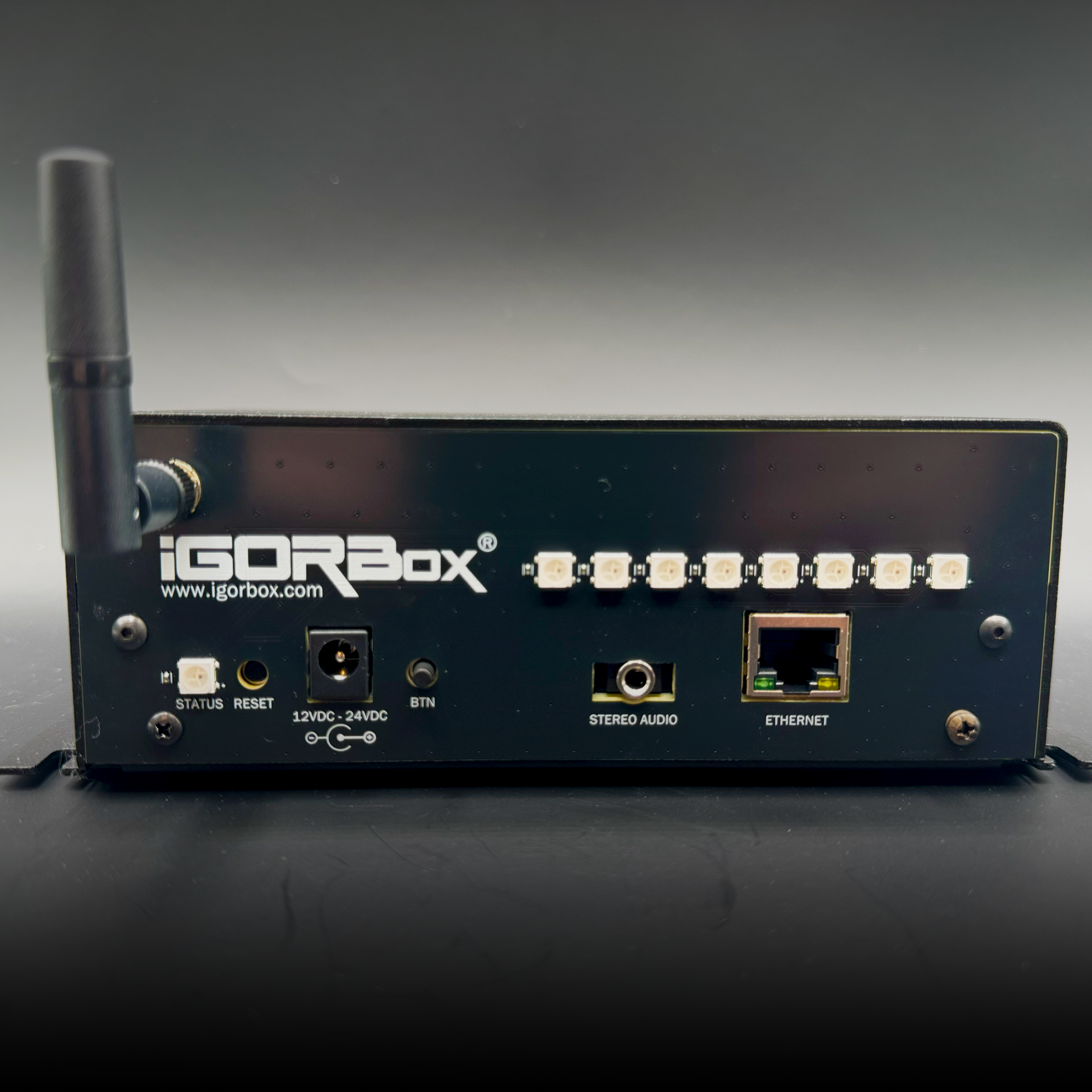
| Element | What it tells you |
|---|---|
| Status LED | Overall controller state. See Status LED |
| 8 input indicators | Channels 1-8 indicated. Lights purple when that input is on. |
| 2 relay output indicators | One per relay output. Green when the output is on; orange if the output is set to inverted. |
| Front button | Configurable per controller. See Front Button |
Channel indicators
Each input has a dedicated indicator that lights purple when that input is on, and is dark otherwise. This is fixed: the input indicators always show purple, so you can tell at a glance which inputs are active just by looking at the front panel.
The rear connector lights mark the inputs too: as of firmware 2.2.0, each input's connector pair keeps a faint purple glow when idle and turns bright purple when the input fires. The front panel stays dark for idle inputs by design; the faint idle marker is a rear-panel thing. If your rear input lights stay dark when idle, the controller hasn't received the 2.2.0 firmware update yet. See Indicator Lights for the full rear-panel reference.
The two relay outputs have their own indicators. Each one is green when the output is on. If you set an output to inverted, its indicator shows orange instead. The indicators always reflect the state the controller is commanding.
If the lights would be distracting (for example in a dark haunt scene), you can dim or turn off the indicators in Studio.
Inputs 9–16
Inputs 9–16 live on two included breakout boards connected by a standard Ethernet cable. There are no onboard indicators for these channels.
Mounting
Same chassis and mounting pattern as every current IgorBox controller. See Mounting for the footprint drawing, wall-mount and DIN-rail options, and hardware-reuse notes.