Input 16
The Input 16 is the central nervous system of your attraction. Sixteen isolated inputs in a single box, plus two relay outputs you can use for locks, small effects, or triggers to other systems. Buttons, footswitches, reed sensors, IR beams, RFID readers, escape room puzzle pieces, prop sensors — wire them all into one IgorBox and let Logic Rules do the rest.
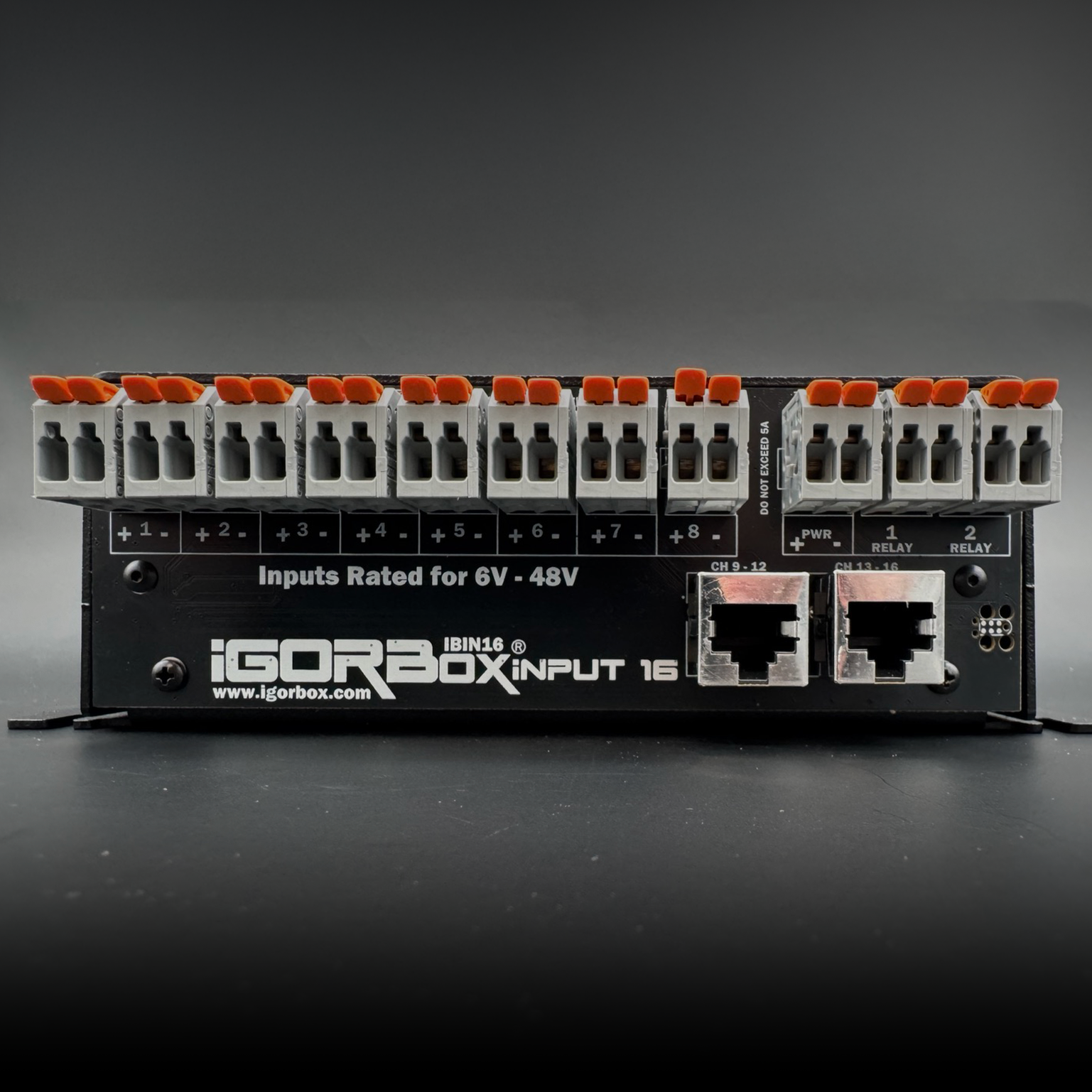
What's in the box
| Inputs | 16 × isolated, 6–48V AC/DC |
|---|---|
| Outputs | 2 × 1.5A relay outputs |
| Connectivity | Ethernet + WiFi |
| Connectors | WAGO® on every terminal |
| Audio | Stereo line out (3.5 mm) |
| Storage | 32 GB onboard |
| Front panel | Status LED, per-input activity lights (purple when on) and relay state lights, configurable front button |
| Power | 9–24V DC, center-positive barrel jack |
| Channel breakouts | Inputs 9–16 ship on two included breakout boards, connected by a standard Ethernet cable |
Best for
- Centralized triggering — every sensor in your attraction reports to one box, and that box decides what happens.
- Escape rooms — wire all the puzzle inputs (buttons, magnetic switches, RFID readers, photo gates) and use Logic Rules to drive the puzzle. The two relay outputs are perfect for maglocks, "puzzle solved" indicators, or releasing a clue from a hidden compartment.
- Immersive games — counters, latches, sequence detection, random reveal logic — all without writing code.
- Show triggering — wire the start buttons, E-stops, and "next scene" inputs into one place; trigger shows on any other controller in your account.
Why 16 inputs in one box?
Putting all your inputs in one place changes how you design a show. With distributed inputs, you have to think about which controller "owns" each sensor and how triggers fan out across the network. With centralized inputs, you can treat every sensor as a global event.
For escape rooms in particular, this is a huge unlock: you can build the entire room's puzzle logic visually as a single rule, with all 16 inputs feeding into it.
And it isn't unique to the Input 16 — across IgorBox, every input is a global event. Any input on any controller can trigger any show on any other controller, or be used as a condition inside a Logic Rule running anywhere on your network. The Input 16 simply gives you the most inputs in one box; a single button on an Output 8 MKII three rooms away can feed the same rule.
The two relay outputs
The Input 16 isn't input-only. The two onboard relays (1.5A each) are perfect for the kind of low-amperage triggers and locks that go hand-in-hand with input-driven shows:
- A maglock that releases when the puzzle is solved
- A small mist effect or low-power LED indicator
- A trigger wire to a third-party show controller
For higher-power needs, target an Output 8 MKII or LED Controller from your Logic Rule and let those handle the heavy lifting.
Quick start
- Power it up with the included 12V supply.
- Connect to the network — Ethernet or WiFi. See Connectivity.
- Magic Provisioning — read the setup ID and add it in Studio.
- Wire your inputs and outputs — the wiring guide covers buttons, sensors, and the relay outputs.
- Build a Logic Rule — Logic Rules is the place to start.
Channel breakout boards
Inputs 9–16 don't fit on the main box, so they ship on two included breakout boards that connect with a standard Ethernet cable. It's one Input 16, not multiple boxes. See Channel Breakout Boards.
See also
- Wiring Guide
- Front Panel
- Tech Specs
- Channel Breakout Boards
- Regulatory Compliance — FCC & ISED statements