Output 8 MKII
The Output 8 MKII is the next generation of the original Output 8, refined with feedback from the early-access program. It's the everyday workhorse of the IgorBox lineup — eight outputs, two isolated inputs, and Easywire™ guided wiring on every terminal.
The marquee feature is our Multistate Relay™ technology: six of the eight outputs can switch between standard relay and solid-state mode in software. You don't have to decide at install time whether a channel needs an isolated dry contact or a powered output driven straight off the controller's supply — flip the mode in Studio and it's done.
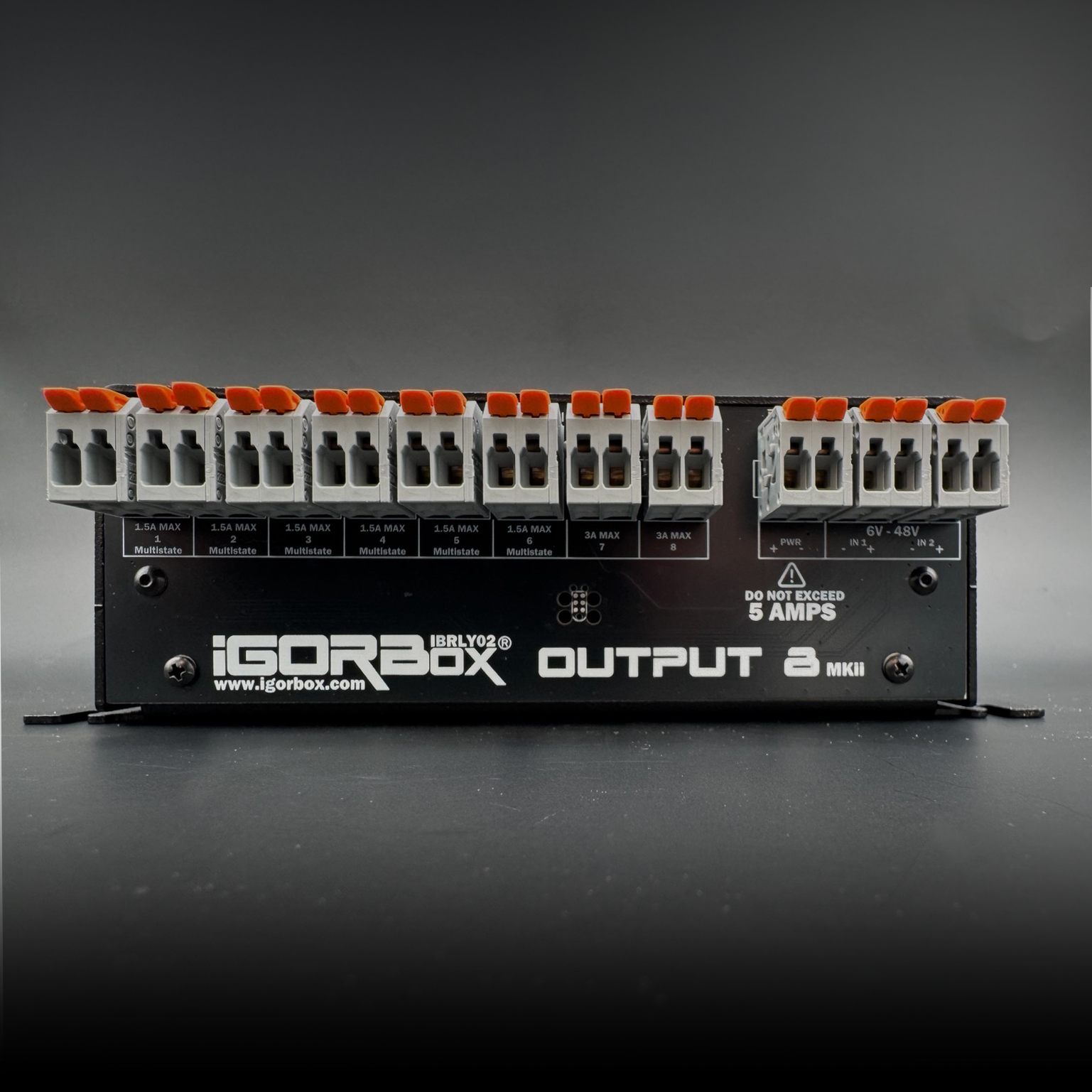
What's in the box
| Multistate Outputs | 6 × 1.5A Multistate Relay™ outputs |
| Relay Outputs | 2 × 3A standard relay outputs |
| Inputs | 2 × isolated inputs |
| Connectivity | Ethernet + WiFi |
| Connectors | WAGO® on every terminal |
| Audio | Stereo line out (3.5 mm) |
| Storage | 32 GB onboard |
| Front panel | Status LED, 8 RGB channel indicators, configurable front button |
| Power | 9–24V DC, center-positive barrel jack (12V 1A supply included) |
Best for
- Pneumatic solenoids — the 3A relays handle the inrush of slow-coil 24V valves
- Show lighting — switch panel LEDs, pinspots, par cans, and floods
- Powered DC loads — Multistate Relay™ in solid-state mode drives solenoids and lights straight off the controller's supply, no extra power wiring
- Trigger inputs — the two isolated inputs handle 6–48V AC/DC trigger signals
Quick start
- Power it up with the included 12V supply (or anything 9–24V DC, center-positive).
- Connect to the network — plug in Ethernet. If you'd rather use WiFi, add your WiFi network in Studio Settings before you provision: the controller picks it up automatically when it joins your account, and from then on it can roam to WiFi. See Connectivity and Magic Provisioning.
- Magic Provisioning — read the setup ID and add it in Studio.
- Wire your channels with Easywire™ walking you through each terminal.
- Build a show in the timeline editor.
See also
- Multistate Relay™ — what makes the MKII different from the MKI
- Wiring Guide — examples for lights, solenoids, motors, and inputs
- Front Panel
- Tech Specs
- Regulatory Compliance — FCC & ISED statements