Storage
Every IgorBox controller keeps its deployed shows, media, triggers, and rules on onboard storage, so a show keeps running even when the cloud isn't reachable. The Storage card on a controller's Overview tab in IgorBox Studio shows how much of that storage is in use and, as of firmware 2.2.0, whether the controller thinks it's healthy.
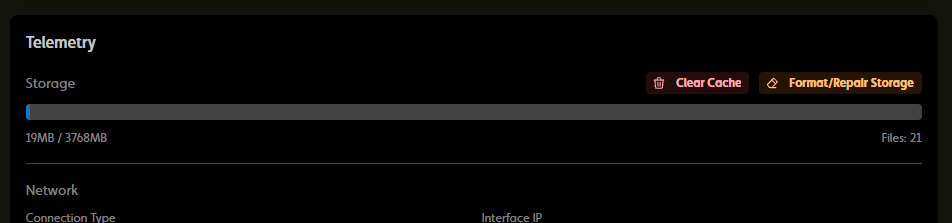
Storage health
The controller checks its storage as it runs and repairs small problems on its own. You'll see one of these on the Storage card:
- Nothing special: the storage is fine. This is the normal state.
- Suspected storage issue (orange badge): the controller reported storage errors, or fixed a problem on its own, since it last started. Shows keep playing. After a self-repair the controller re-downloads its shows, and it's locked (purple status LED) while that runs, so playback pauses briefly. Treat the badge as a heads-up: if it comes back after a reboot, run Format/Repair Storage.
- Unavailable (red badge and notice): the controller can't access its storage at all, so shows and media can't be saved. The usage numbers are hidden in this state. Run Format/Repair Storage. If the problem returns, contact support.
- Formatting (violet badge): a Format/Repair Storage is in progress. Leave the controller alone until it finishes. The red Unavailable notice can flash up briefly while the format runs; that's expected.
Each of these also lands in the controller's Events tab (and the all-controllers events list) as Storage Error, Storage Repaired, or Storage Unavailable, so you can see when it happened even if nobody was watching the page.
A controller whose storage can't be mounted at all during startup shows error code 3 on its status LED instead. The health badge is for problems the controller notices while it's running.
Clear Cache
Clear Cache removes cached media that none of your deployed shows use anymore, such as audio from shows you've since undeployed or deleted. Media that a deployed show still needs is left alone, so nothing has to be downloaded again. It's quick, though the controller is briefly unavailable while it clears. Use it when the storage is filling up with leftovers.
Format/Repair Storage
Format/Repair Storage sits next to Clear Cache and is the heavier tool: it erases everything on the controller's storage and rebuilds it from scratch. Use it when the controller reports storage errors or new shows fail to deploy.
What happens:
- Your shows, cached media, triggers, and rules are downloaded again from the cloud afterwards. Nothing in IgorBox Studio is touched.
- Network settings and the controller's identity are kept, so it comes back online in your Studio on its own. There's nothing to re-provision.
- The format itself takes a few minutes. The controller then downloads its shows and settings again, and finally its media. How long that last step takes depends on how much audio your shows use; a large library can take a while. The controller is locked and won't run shows until everything is back.
- Everyone viewing the controller sees Formatting storage. Do not power off the controller. while it runs, followed by either Storage formatted (the controller is re-downloading its shows and settings) or a failure notice asking you to contact support.
- The result is recorded in the Events tab as Storage Formatted or Storage Format Failed.
Losing power part-way through leaves the storage corrupted. The controller starts the repair over at its next start and then re-downloads everything from scratch, so you lose the time, not the data. Pick a quiet moment, and leave the controller alone until IgorBox Studio says it's done.
The button needs firmware 2.2.0 or newer (on older firmware it's disabled and the tooltip says so), the controller has to be online and unlocked, and you need the same permission as rebooting a controller.
Which one do I need?
| Symptom | Try |
|---|---|
| Storage is filling up with media from old shows | Clear Cache |
| Suspected storage issue badge that comes back after a reboot | Format/Repair Storage |
| Storage unavailable notice | Format/Repair Storage, then support if it returns |
| New shows fail to deploy to this controller | Clear Cache first, then Format/Repair Storage |
| Red status LED blinking 3 times at startup | The controller couldn't access its storage at all. It tries to repair it on its own at startup; if code 3 keeps coming back, it's a hardware problem. See Error Codes |