Fixture Channels
Every channel in a fixture profile has a kind: what the channel is. The kind decides what control you get everywhere in IgorBox Studio, both the widget that appears in Manual Control and the kind of track the channel becomes in the timeline editor.
Channel kinds
| Kind | What it's for | The control you get |
|---|---|---|
| Intensity | A level: brightness, strobe speed, focus, or anything else that's "0 to full" | A percentage slider; a lighting envelope on the timeline |
| Color | One color component: Red, Green, Blue, White, Amber, or UV | Joined with its siblings into a single color picker via a color group; a color track on the timeline |
| Pan / Tilt | A moving head's aim (left↔right / up↕down) | A 2D joystick pad; an X/Y track on the timeline |
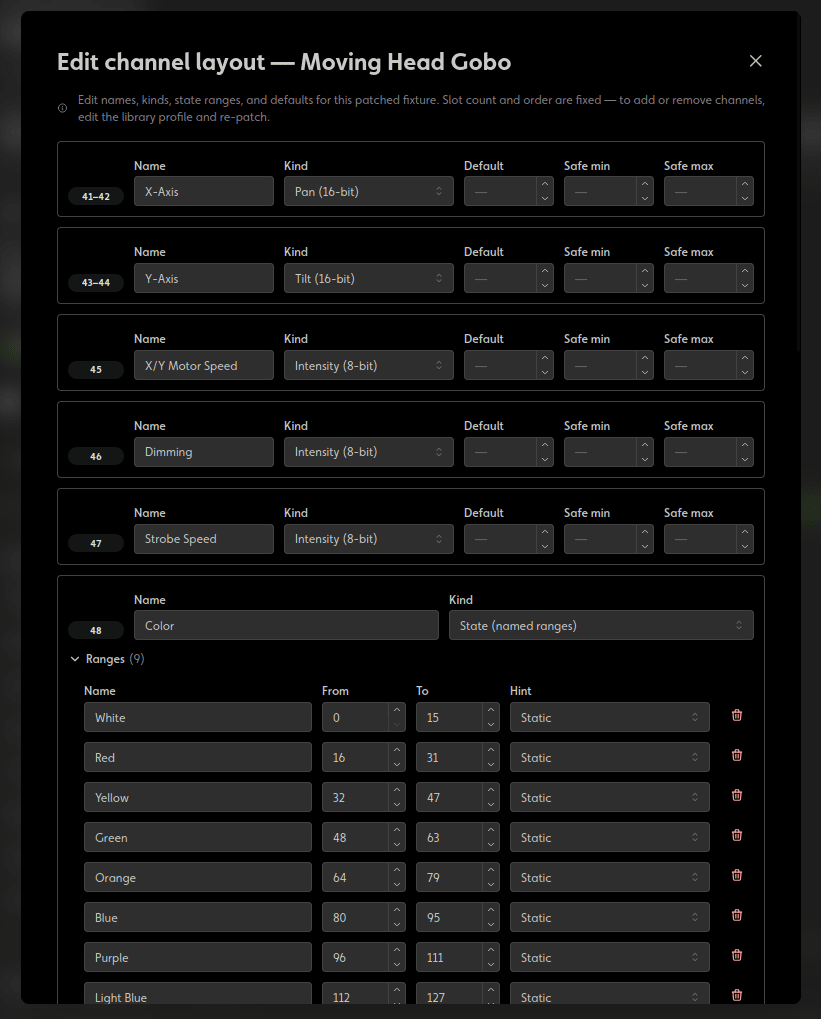
| State (named ranges) | A mode selector: color-wheel position, gobo, prism, built-in programs, reset functions | A dropdown of named states; state clips on the timeline |
| Proportional (clamped slider) | A continuous mechanical position with limits: a talking-skull jaw, a nod/rotate servo, eye movement | A 0–100% slider that only ever moves within the safe band |
| Passthrough (raw 0–255) | A raw DMX value sent as-is, for the odd channel nothing else fits | A raw 0–255 input |
| No-op (unused slot) | Padding: a slot the fixture reserves but you never touch | Hidden everywhere |
16-bit channels
Intensity, pan, tilt, and proportional channels come in 16-bit variants for fixtures that pair a coarse and a fine channel. A 16-bit channel occupies two consecutive slots but behaves as one control: one slider, one track. (The pan/tilt joystick offers optional Fine controls for extra-precise aiming.)
Named states
A state channel carries a list of ranges, straight out of the fixture's manual: "0–9 is open, 10–57 is red, 58–105 is green…" Each range has a name, its value band, and a hint:
- Static: the band selects a fixed option (a color-wheel slot, a gobo).
- Animated: the band runs a built-in animation (a rainbow program, auto mode).
- Trigger (momentary): the band fires a one-shot function (reset, lamp on).
- Proportional (slider in band): the band is scrubable, like strobe-speed-within-strobe-mode. These get a slider in Manual Control and a mini envelope inside timeline state clips.
Picking a named state sends the middle of its band, safely inside the range no matter how tightly the fixture defined it.
Ranges shouldn't overlap (the Studio flags that as an error). Gaps are allowed but warned about, so a stray value can't land in undefined territory unnoticed.
Default values
Each channel can carry a default: the value written when nothing is driving the slot (on boot, and when a show ends). A par can with dimmer default 0 goes dark between shows; a prop whose "home" position is mid-travel can rest there instead.
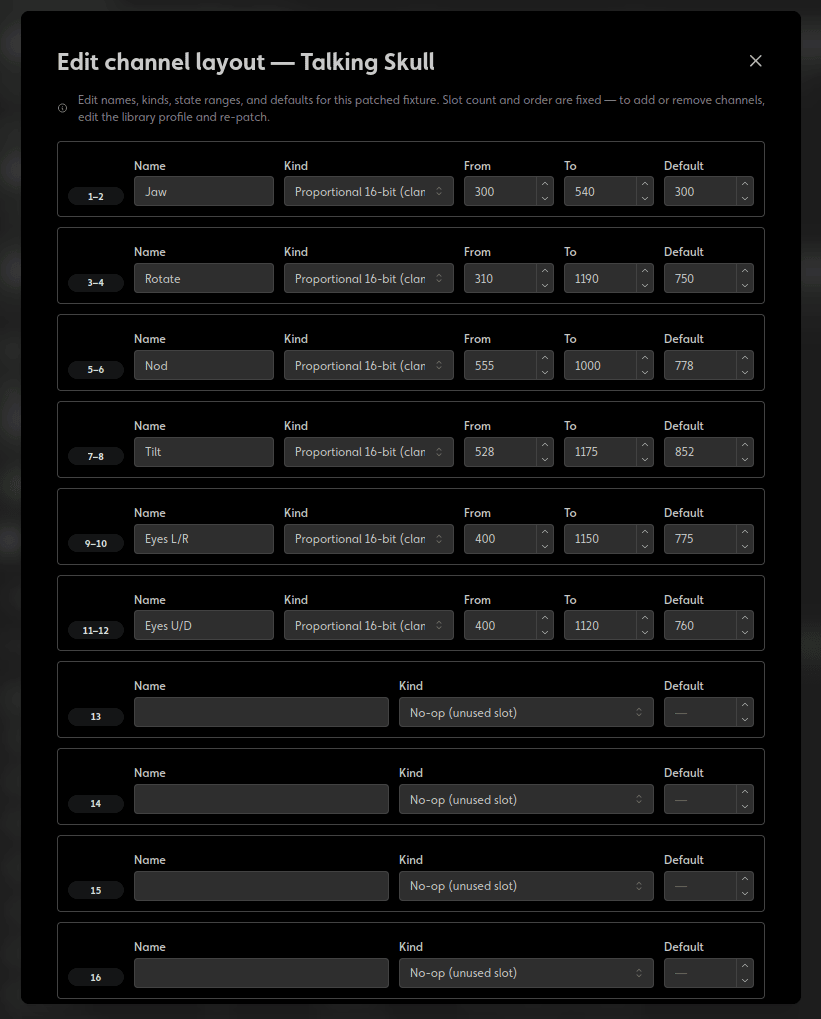
Leave the default blank and the channel holds its last value when a show ends (in Standard mode), or keeps passing the incoming console signal through (in Buffer mode).
In Buffer mode, a channel with a non-zero default is owned by the IgorBox: the console's signal no longer passes through on that slot. The Studio warns you inline when a default would do this. Set the default to 0 (or clear it) to keep a slot passthrough.
Safe state (E-stop)
When a controller's front button is set to Hard Lock, each channel gains a Safe state field: the value forced onto the channel the moment the controller enters E-stop. A fogger's output channel to 0; a moving prop to its parked position.
Leave it blank and the channel freezes at whatever value it had when the lock engaged.
Safe Zones™
Intensity, pan, and tilt channels can carry a Safe min / Safe max pair: a hard band the controller enforces against everything, whether shows, rules, manual control sliders, defaults, or safe states. It's the last line of defense for fixtures that move; the full story is on the Safe Zones™ hardware page.
Proportional channels don't need the extra fields; their From / To band is the safe zone. The 0–100% you see everywhere maps onto that band, so nothing can even ask for a value outside it.
Fixture-library profiles can ship with safe zones already set. Dial them in on a mechanical fixture right after patching, before building shows for it.
Where you edit all this
- Building a profile: the Modes section of the fixture profile editor.
- On a patched fixture: Edit → Edit channel layout in the patch; same fields, scoped to that one patch.