Generators
A generator fills a span of the timeline with an effect so you don't author it point by point: a candle that flickers for three minutes, a hallway of lights that chase, a strobe at a set rate, a color sweep across a group, or a light that pulses with the music. The result is ordinary clips, control points, and color stops that you can edit like anything else.
Applying a generator
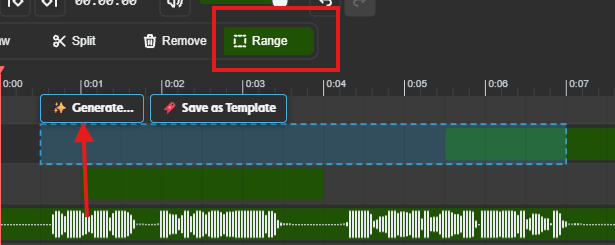
- Pick the Range tool in the toolbar (or press
R). - Drag across the span of time and the rows you want to fill. A generator can cover one row or several.
- Click Generate… on the selection.
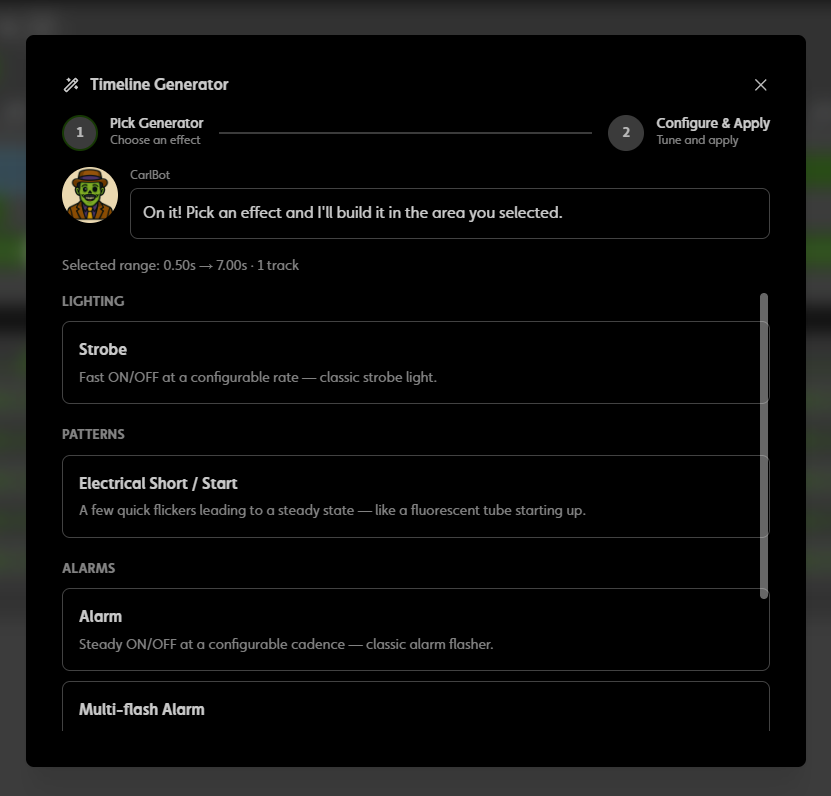
- In the Timeline Generator window, pick a generator. Only the ones that fit the rows you selected are listed.
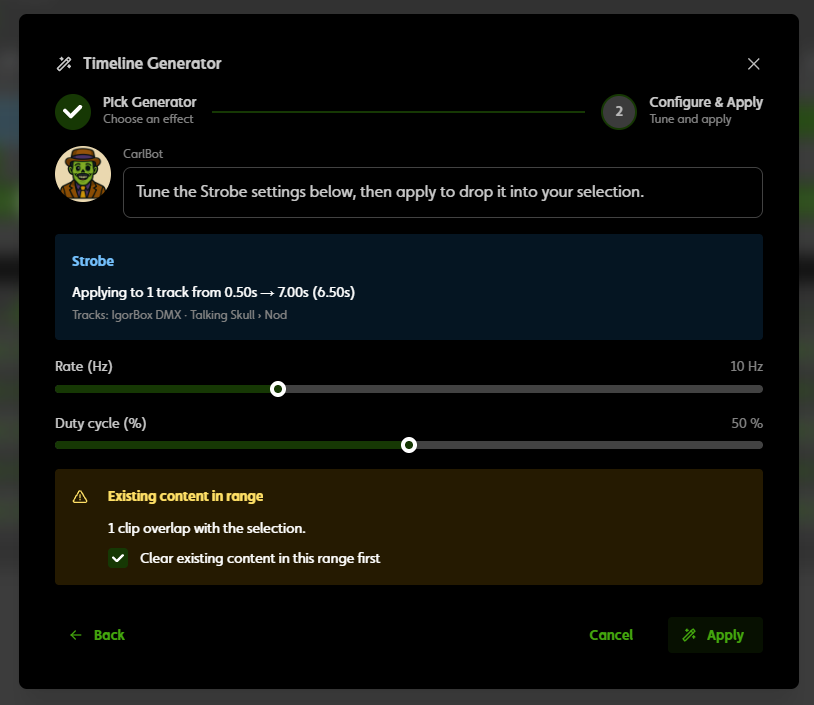
- Set its options and click Apply.
If the range already has content, a note offers to clear it first; that's on by default. The start and end points of a track are never overwritten.
After you apply, the button changes to Regenerate. For effects with randomness (candle, fire, fireflies, faulty electric, lightning, electrical short, popcorn, random colors), each click rolls a new variation. For the audio generators, it reopens the settings.
Everything a generator produces is editable afterwards, and a single Undo removes the whole thing.
Generators work on on/off rows, dimmer rows, and color groups. Pan and tilt tracks and audio tracks don't take generators; author those directly.
The generators
Times are in seconds unless the option says otherwise.
Lighting (dimmer rows)
| Generator | What it does | Options |
|---|---|---|
| Candlelight | A gentle, irregular candle flicker. | Base brightness, flicker amount, flicker speed |
| Firelight | A bigger, livelier flame. | Base brightness, flicker amount, flicker speed, spark rate |
| Fireflies | Soft random pulses, like fireflies in the dark. | Pulses per 10 seconds, peak, pulse length |
| Faulty Electric | A light that keeps dipping, like a bad ballast. | Base brightness, dip depth, dips per 10 seconds |
| Lightning Strike | A few pre-flashes, a bright hit, and a decay. | Pre-flashes, intensity, decay |
| Pulsing | A steady breathing pulse. | Period, peak, minimum |
| Heartbeat | A two-beat thump at a set tempo. | BPM, intensity |
On/off rows
| Generator | What it does | Options |
|---|---|---|
| Strobe | A fixed-rate strobe. | Rate (Hz), duty cycle |
| Electrical Short / Start | A burst of pre-flickers that ends steady. | Pre-flickers, ends steady ON or OFF |
| Alarm | A regular on/off alarm. | On time, off time |
| Multi-flash Alarm | Bursts of quick flashes with gaps. | Flashes per burst, flash length, gaps |
Color groups
| Generator | What it does | Options |
|---|---|---|
| Color sweep | A smooth sweep between hues, with a preview. | Number of stops, start and end hue, saturation, lightness |
| Two-color flash | Alternates two colors at a tempo. | Color A, color B, BPM |
| Color pulse | Pulses a color on a beat. | Color, beats, on fraction |
| Random colors | Random stops from a palette. | Number of stops, palette (Saturated, Pastels, All hues, Warm, Cool), seed |
Multi-channel (select two or more rows)
| Generator | What it does | Options |
|---|---|---|
| Light Chase | Lights come on one after another down the rows. | Step, brightness |
| Bouncing Alarm | An alarm that bounces between rows. | Rate |
| Darken Hallway | Rows go dark in sequence. | Sudden or Fade, fade time, brightness |
| Slow Fade Up | Rows fade up with an overlap. | Overlap, peak |
| Popcorn | Short random pops across the rows. | Pops per second, pop length, brightness |
| Color chase | A color runs down the color groups. | Color, step, Forward / Reverse / Ping-pong, tail |
| Rainbow wave | A rainbow rolls across the groups. | Number of stops, hue span, phase, direction |
| Alternating beats | Two colors alternate between groups on a tempo. | Colors A and B, BPM, grouping (Odd/even, Halves, Pairs) |
| Color cascade | A color or rainbow cascades group to group. | Solid or rainbow, delay, hold, fade, one pass or loop |
Audio
These need an audio clip under the selection. Without one, Apply is unavailable. IgorBox Studio prepares your audio for them automatically when you upload it. If the channel has a Prop Rig, the generated motion respects it.
| Generator | What it does | Options |
|---|---|---|
| Audio Reactive | A dimmer or color group follows the audio. | Sensitivity, smoothing, silence gate, Between phrases (lip-sync to the spoken words, or react to every sound), minimum and maximum, or color by loudness |
| Music Reactive | Reacts to the beat, or to the kick, snare, or hats separately. | Which part to follow, sensitivity, only big hits, tail, or a color per kick, snare, and hats |
| Audio Gate (Relay / Pneumatic) | Fires an on/off row on the loud hits. | Sensitivity, trigger level, minimum on and off time, fire offset, max fires per minute |
Files uploaded before IgorBox Studio started preparing audio may not get the full effect; re-upload them to fix that.
Tips
- Generate into an empty range first, look at the result, then Regenerate until you like the variation. It's cheaper than editing points by hand.
- Long ambient loops are the natural home for Candlelight, Firelight, and Fireflies. Keep the start and end values matched so the loop doesn't jump; see Endpoints and looping.
- Use the multi-channel generators on rows that are physically in a line (a hallway, a row of pars) so the chase reads the way it looks on screen.